Print Once, Sell Twice: Turning Egg Cartons and Berry Boxes Into a Signup Engine
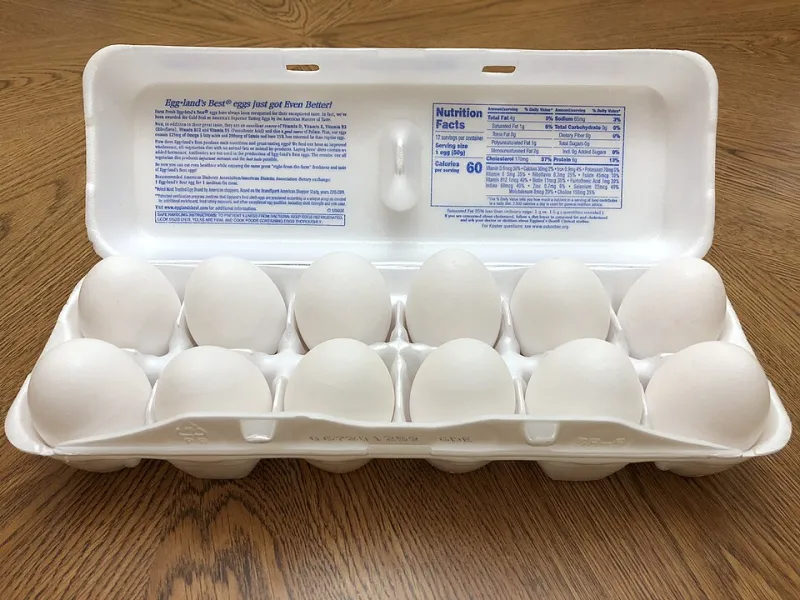
Photo: Famartin, CC BY-SA 4.0, via Wikimedia Commons
Every week, a stack of your packaging leaves the farm in somebody's back seat. Those cartons go into kitchens, get stacked in refrigerators, and get handled again every time somebody makes breakfast. That is a lot of quiet exposure for a product that already cleared the hardest hurdle: the customer liked you enough to buy.
A QR code turns that packaging into a doorway. Not a billboard, not a coupon, just a small, useful door. Done right, it is one of the few marketing channels that follows customers all the way home.
Why the carton beats the brochure
A flyer gets tossed. A fridge magnet gets ignored. An egg carton gets opened on a Tuesday morning when somebody is already thinking about your farm. Berry boxes get pulled out for a snack. CSA labels get peeled off and stuck to a freezer bag.
That is a strange kind of marketing advantage, and most farms never use it. The package is already printed, already paid for, and already in the customer's hands. Adding a code is a small change to a thing you were going to produce anyway.
Pick the destination before you pick the code
Do not send people to your homepage. Homepages are built for browsers, not for somebody standing in a kitchen with one hand in a carton.
Build one short, fast page. Something like yourfarm.com/carton or yourfarm.com/fresh. It should load in two or three seconds on a phone with one bar of signal, and it should not have a popup, a cookie wall, or a video that autoplays.
What belongs on that page
- Storage tips. Real ones. Eggs keep best in the original carton on a middle shelf, not in the door. Berries should not be washed until right before eating. People genuinely appreciate this stuff, and it makes the page worth scanning.
- Two or three recipes. Not a cookbook. A corn frittata, a berry crumble, a quick egg salad. Use what you sell that week.
- Current availability. What is at the stand right now, plus your hours. Update it weekly. A stale availability line is worse than no line at all.
- One email signup. One field for the email, maybe an optional ZIP code. No first name, no phone number, no birthday.
- A single clear line about what you will send. "One email a week during the season. Nothing in January." That promise does more work than any design tweak.
Make the signup feel like a farm, not a form
People hand over an email when they can picture what arrives. "Join our newsletter" is vague. "We will email you the week the first strawberries are ready" is a reason.
If you run a CSA, say what the emails actually contain: pickup reminders, what is in the box, a recipe for the thing nobody knows what to do with. If you sell at markets, say you will send the market schedule and the sold-out list. Keep the promise small and specific, then keep it.
The setup takes an afternoon
- Claim the URL. Pick one page on your own domain. Keep the address short enough to type if somebody's camera will not cooperate.
- Build the page. Your website builder is fine. So is a simple one-page tool. Fast and plain beats fancy and slow.
- Generate a static QR code. Use a free generator and point it at your own URL. Avoid free "dynamic" codes that route through somebody else's service, because those can expire or start charging. A static code to a page you control is permanent, and you can change the page content whenever you want without reprinting.
- Size it for real life. At least three-quarters of an inch square, dark ink on a light background, with a quiet margin around it. Test it with two or three phones in the actual light of your stand, not on a desktop monitor.
- Print it. Avery labels work for small runs. For bigger batches, ask your carton supplier or a local printer to add the code to the label artwork. On berry boxes, put it on the lid where the thumb lands.
Tracking without a dashboard headache
Add UTM parameters to the URL before you generate the code. Something like ?utm_source=carton&utm_medium=qr&utm_campaign=eggs. That tells your website analytics which scans came from packaging, and it lets you compare egg cartons to berry boxes without building anything complicated.
Then look at two numbers once a month: visits to that page and signups from that page. If you use Google Analytics 4, the Traffic Acquisition report will show the campaign. If you use a simple host with basic stats, look at the page views. Either way, a monthly glance is enough. Daily checking is a hobby, not a strategy.
One low-tech addition: add an optional "How did you find us?" dropdown to the signup form with a packaging option. Some people will skip it. The ones who answer give you a useful cross-check.
Keep the page alive
Assign the page to a person and a day. Friday morning works well for a weekend stand. Update availability, swap the recipe if it is stale, and check that the signup form still works. Ten minutes.
The QR code is permanent. The page is the part that needs care. That is the trade-off, and it is a good one, because you can fix a page in five minutes and you cannot fix a printed carton.
A few honest cautions
If you sell wholesale, think before you put a consumer-facing code on retail packaging. Some store buyers will not mind, and some will mind a lot. Ask first.
Do not link to Instagram. It is slow, it sometimes asks people to log in, and it is a dead end for anybody who just wants to know whether you have eggs this week.
Do not make the code tiny to save label space. A code that will not scan is just a smudge with ambitions.
The point
The carton already made the sale. The QR code just keeps the conversation going. Print it once, point it at a page that is genuinely useful, and let the packaging do the follow-up that nobody on your farm has time to do by hand.