One Page Your Farm Store Needs Before the Next Pickup Day
Most farm online stores treat pickup like a footnote. The customer orders a half-bushel of tomatoes or a holiday turkey, hits checkout, and gets a vague confirmation that says “pickup details will be sent later.” Then they wonder where to go, when to show up, and whether they need to bring anything. Some of them cancel. Others call the farm during the busiest part of the day.
A pickup page fixes that. It is a single page on your farm’s website that explains exactly how pickup works, and it doubles as a local search asset. When someone searches for “farm pickup near me” or “where to pick up farm order,” a clear page with your location, hours, and directions can show up in results. It also gives your Google Business Profile something useful to link to besides a generic homepage.
The best part? You do not need a web developer or a fancy app. You need a blank page, a phone camera, and about one afternoon.
Start With the Basics Customers Actually Need
A good pickup page answers the questions people ask at the moment they are deciding whether to order. Put the practical details near the top, not buried under a paragraph about your farm’s history.
Include:
- Pickup windows. Be specific. “Fridays 3–6 p.m. and Saturdays 9 a.m.–1 p.m.” is better than “weekend pickup.” If you have separate windows for CSA shares, online store orders, or holiday pre-orders, label them clearly.
- The exact pickup spot. “The red barn on the left after the driveway forks” is more helpful than “the farm.” If you have multiple locations or a seasonal stand, say which one.
- Address and directions. Link to Google Maps. Add one or two landmarks if your road is easy to miss, like “look for the blue mailbox across from the white fence.”
- What to bring. Reusable bags, a cooler for meat or dairy, your order confirmation, or a printed name sign if you run a drive-through pickup.
- Who to call or text if plans change. Give a number and a realistic response window. “Text us at least two hours before your window” is clearer than “contact us.”
You do not need to write a novel. Short blocks with bold labels work well on phones, which is where most customers will read this page.
Show the Pickup Spot Before They Arrive
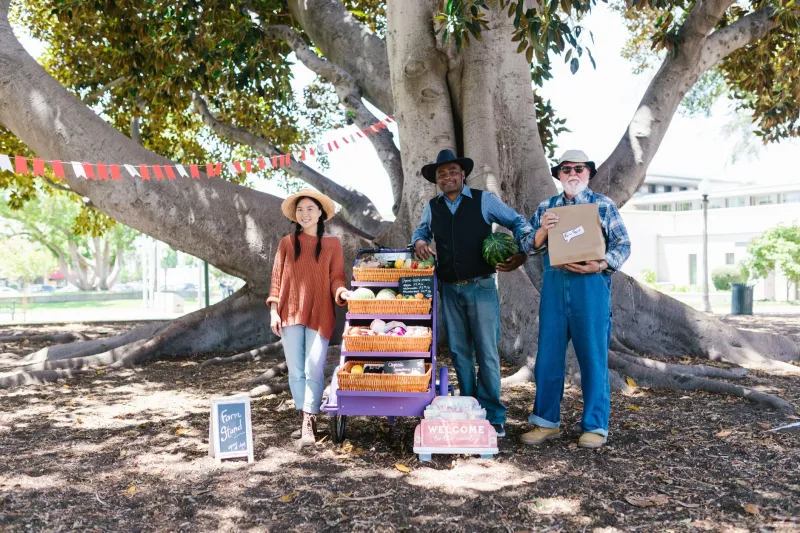
Photos do a lot of quiet work here. A picture of the pickup tent, the barn door, the cooler stack, or the sign at the end of the driveway can prevent the “I’m here, where are you?” text message. Take three or four horizontal phone photos in good light. Avoid photos that only show a field with no landmark. Customers need to recognize the place when they pull in.
If your pickup area changes with the season, update the photos. A summer U-pick tent photo is not helpful in December when customers are picking up evergreen wreaths from the greenhouse.
Answer the First-Timer Questions
First-time pickup customers are often a little unsure about farm etiquette. A short FAQ section can head off confusion and make the experience feel easier.
Questions worth answering:
- Can I come outside my pickup window?
- Do I need to get out of the car?
- What if someone else is picking up my order?
- Can I add something to my order at pickup?
- What happens if I miss my window?
- Are pets allowed?
- Is the pickup area accessible for strollers or wheelchairs?
Keep the answers honest. If you cannot accommodate early arrivals, say so kindly. If you can hold an order until the next market day, say that too. Clear expectations reduce friction for everyone.
Link It Everywhere Customers Already Look
A pickup page only helps if people can find it. Treat the URL like a utility link and put it in the places customers check before and after ordering.
Google Business Profile: Add the pickup page as your appointment or order link if your profile supports it. Also mention pickup in your business description and add a post around busy pickup weeks. When someone taps through from your profile, they should land on a page that makes the next step obvious.
Order confirmations: Put a direct link in the confirmation email and the receipt page. A line like “Pickup details, directions, and what to bring: [link]” is enough. This is the moment customers are most likely to save the information.
Social posts: Pin the link in your profile, add it to stories before pickup days, and mention it in captions. A short video walking from the road to the pickup tent can be even better than a static post.
Text messages: If you use SMS for pickup reminders, include the link. Customers will click it while they are getting in the car.
Your website navigation: Add “Pickup” to the main menu or footer. Do not make people hunt through a checkout FAQ to find it.
A One-Afternoon Build Plan
Here is a realistic way to get the page live without turning it into a month-long project.
Hour 1: Gather the details. Write down your pickup windows, address, landmark directions, contact number, and the three questions you answer most often. Open your order confirmation emails and copy the language that already works.
Hour 2: Take photos. Walk to the pickup spot and take a few clear photos. Include one wide shot of the driveway or entrance, one of the pickup area, and one close-up of any signage. Do not worry about making them perfect. Clear beats polished.
Hour 3: Write the page. Use short sections: pickup windows, where to go, what to bring, first-timer questions, and contact info. Add the photos. Keep the tone friendly and direct. Read it out loud once to catch anything confusing.
Hour 4: Link it. Add the page to your website menu, Google Business Profile, order confirmation email, and a social post. Update your SMS reminder template if you have one. Then send the link to one or two regular customers and ask if anything is missing.
That last step matters. A pickup page is not a one-time brochure. Every few weeks, check whether your hours are still right, whether the photos match the season, and whether customers are still asking questions the page does not answer. Small updates keep it useful, and useful pages are the ones that earn local search traffic and repeat orders.
Pickup is not glamorous. But it is the moment when an online order becomes a real farm transaction. Give customers one clear page to lean on, and you make that moment easier for them — and easier on your phone.