Your Voicemail Is a Treasure Map: Turn Repeat Customer Texts Into a Farm FAQ Page That Sells
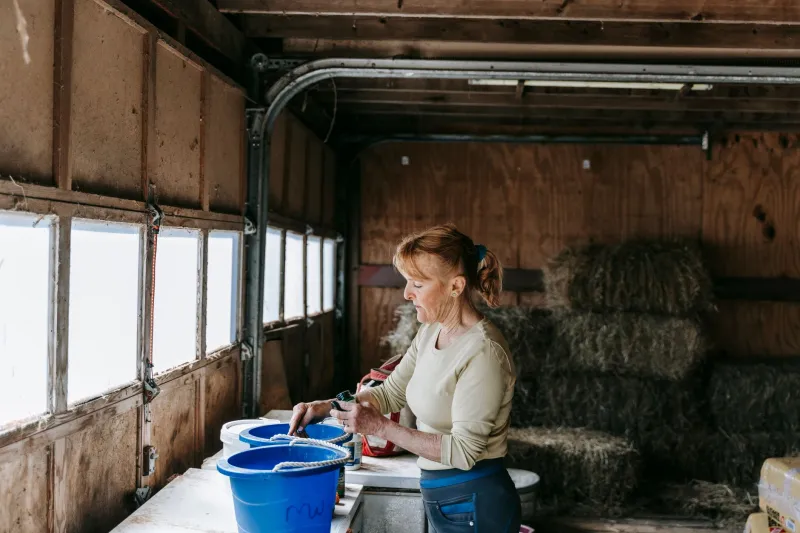
Every farm business runs on a second, unpaid shift: the one where you're standing in the cooler at 6:40 a.m. typing "yes, we're open until 2 today" with one thumb. Or answering a Facebook message about whether the u-pick is still picking after last night's frost. Or listening to a voicemail from someone who wants to know if dogs are allowed.
Those messages aren't a nuisance. They're a free focus group. Somebody is telling you, in their own words, exactly what stops them from showing up — and if you write it down, you can answer it once for everybody.
That's the whole idea behind a farm FAQ page. Not a stiff corporate "Frequently Asked Questions" wall of text, but a plain-spoken page that does the job you're doing by hand all week.
Start With the Inbox You Already Have
Before you write anything, spend a week collecting. Every time you answer the same thing twice, paste it into a notes app. Don't organize it yet. Just hoard.
Where to look:
- Text messages — usually the biggest pile, and the most honest.
- Instagram and Facebook DMs, including the ones you answered with a voice memo.
- Voicemail, especially from older customers who'd rather call.
- The comments on your posts, where someone asks a question you already answered in the caption.
- The questions people ask at the stand, because those are the ones that never make it into writing.
After seven days you'll have a list. Sort it by how often it shows up. The top of that list is your new page.
The Usual Suspects
Most farm operations end up with a version of the same handful:
- Are you open today? (Followed immediately by: what are your hours this weekend?)
- Do you take cards? — debit, credit, EBT, SNAP, checks, cash only.
- Can we bring the dog? — and the follow-up: on a leash? Into the field? Into the market building?
- What's available right now? — strawberries or pumpkins or eggs or beef, and how much is left.
- Do we need a reservation, ticket, or deposit? — the u-pick crowd and the farm-tour crowd ask this constantly.
- Where exactly are you, and where do we park? — the one that quietly costs you the most customers.
You'll have your own version. A raw-milk dairy gets a different list than a corn maze. Write yours down anyway, because the list changes with the calendar.
Write It the Way You'd Say It Out Loud
Here's where most FAQ pages go wrong. They get written like a policy manual: "Payment methods accepted shall include..." Nobody texts you like that, so don't answer like that.
Say it the way you'd say it to somebody leaning on the counter.
- Instead of "Operating hours are subject to seasonal variation," write "November hours: Friday and Saturday, 9 to 4. Closed Thanksgiving Day. If the gate's open, we're here."
- Instead of "Well-behaved pets permitted," write "Dogs are welcome on a leash in the outdoor areas. Not in the market building, sorry — health department rules. There's a water bowl by the shade tree."
- Instead of "Card and cash accepted," write "We take cards, cash, and SNAP/EBT. No checks, please — the bank charges us for them."
Specific beats polite. "Usually open Saturday" makes people call. "Open Saturday 9–2, and we'll post here by 7 a.m. if we have to close" makes them get in the truck.
One more thing: put the answer first, the explanation second. People are skimming on a phone in a parking lot.
Put the Page Where People Trip Over It
A FAQ page with no traffic is just a journal entry. The linking is half the work.
- Google Business Profile. Add the page as your website link, or at minimum as a "Questions & Answers" item and an appointment/booking link if it fits. Your profile is the single most-seen real estate you own.
- Social bios. Instagram, Facebook, TikTok — put the link where the bio allows it, and point to it in your pinned post.
- Receipts and bags. The receipt line is the cheapest ad space you have. "Hours, u-pick rules, and what's in season: [short link]." Use a short, easy-to-type URL, not a 60-character slug.
- Your auto-reply. Set the text-back and the Facebook Messenger greeting to link the page. That's where the 9 p.m. questions land.
- The website menu. Call it "Visit Us" or "Before You Come" instead of "FAQ." It reads friendlier and people actually click it.
- Signage at the stand. A QR code on the price board works better than you'd think, especially for hours and payment questions.
Add the Schema So Machines Read It Too
Structured data is the part that feels technical and really isn't. FAQ schema is a small block of code that labels your question-and-answer pairs so search engines and AI assistants can tell what they are.
A few honest notes about how this works right now:
- Google has sharply limited when it shows FAQ rich results in search, so don't expect a wall of expandable questions under your listing. That's not the point anymore.
- The point is comprehension. Labeled Q&A gives search engines and AI answer tools clean, quotable text instead of making them guess from your homepage.
- Keep every schema answer identical to the visible text on the page. Mismatches get flagged, and it's the kind of mistake nobody notices until traffic drops.
- Don't stuff twenty questions into markup. Mark up the ones that match what people actually ask.
If you run WordPress, most SEO plugins have an FAQ block that handles this. If you're hand-coding, ask your web person for FAQPage markup and then verify it in a structured-data testing tool before you call it done. It's a twenty-minute job, not a project.
The Ten-Minute Monthly Ritual
An FAQ page goes stale faster than any other page on a farm site, because the answers are tied to the season. Build a short habit around the first of each month.
- Change the seasonal block. Hours, what's picking, what's sold out, holiday closures. This is the part that has to be right.
- Add one question from the last thirty days. There's always a new one — a frost date, a new payment method, a road closure.
- Retire the ones nobody asked. Old questions make the page feel cluttered and push the live ones down the screen.
- Reread it on your phone. Half your customers will. If the answer to "are you open" isn't visible without scrolling, fix it.
Put a reminder on your phone for the first of the month. Ten minutes, standing in the barn, is enough.
What the Page Can't Do
Worth saying plainly: a FAQ page is a filter, not a replacement for a human. Complicated questions — a wedding rental, a bulk order, a delivery route — still deserve a real reply. Use the page to clear out the repetitive stuff so you have time for the ones that actually need you.
And when somebody texts a question that's already answered, don't get annoyed. That's a customer trying to give you money. Answer it, then go add it to the page.