Post It Like You Mean It: A Friday Google Business Profile Routine for Farm Stands
When someone pulls out a phone and searches for a farm stand, a U-pick patch, or this weekend’s market booth, they usually land on your Google Business Profile first. Before they see your website, before they open Instagram, before they call, they see the map listing. And right there, under your hours and photos, is a spot most farms leave blank: Google posts.
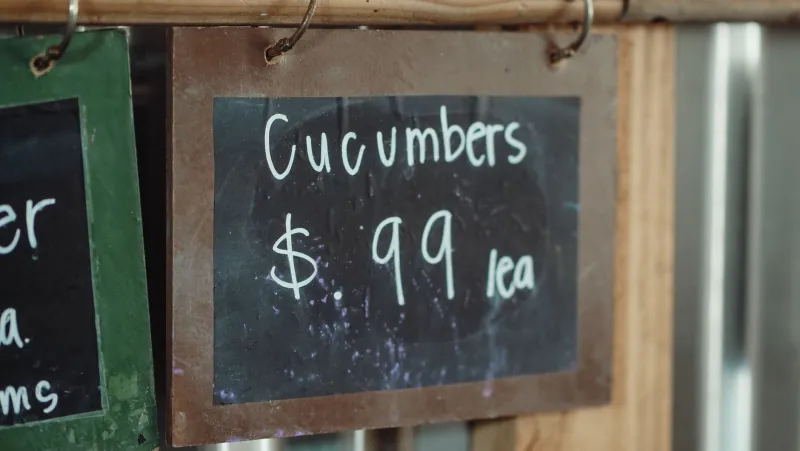
Think of Google posts as the chalkboard by the farm gate. You are not trying to build a content empire. You are not chasing likes. You are writing down what matters this week: what is ready, when you are open, what the field conditions are like, and what you want someone to do next. A paper sign works for the people driving past. A Google post works for the people already searching.
Why Google Posts Belong in Your Local Search Routine
A Google Business Profile post is a short update that can show up in search results and Maps. It can include a photo, a few lines of text, and a button like “Learn more,” “Directions,” or “Call.” For a farm, that is a useful little billboard. It does not need to be clever. It needs to be current.
Most farm listings go stale in predictable ways. Hours change for the season and nobody updates them. Strawberries sell out and the listing still sounds optimistic. A holiday market pops up and the only mention is a flyer taped to the cooler. Google posts give you a place to say the short-lived stuff without redesigning your website every Friday.
They also help with local search in a plain, practical way. A listing with recent activity looks alive. A shopper comparing two farms sees one with a fresh photo of tomatoes and a note about Saturday hours, and another with a generic profile photo from three years ago. Guess which one feels easier to visit.
The Friday 20-Minute Routine
Pick a regular time. Friday morning works for many farms because it catches weekend planners, but the exact day matters less than the habit. Set a phone reminder and treat it like closing the gate.
Here is a routine that fits in about twenty minutes:
- Choose one real photo from the week. Not a stock image. Not a logo. A phone photo of the field, the stand, the harvest table, or the market setup is enough. Crop it so the subject is obvious.
- Write one crop or harvest note. Be specific. “Sweet corn is in” is fine. “First picking of sweet corn, picked this morning” is better.
- Add the hours and weather angle. Say when you are open and whether the weather changes anything. For U-pick, mention field conditions. For a stand, mention covered areas or muddy parking if that matters.
- End with one clear call to action. Send people to a crop-availability page, a pre-order form, directions, or your phone number. Pick one job for the post. Do not make it do five things.
- Publish and check the listing. Make sure the post went live, the button link works, and your hours are still correct.
That is it. One photo, one note, one practical update, one next step. You are not feeding an algorithm. You are updating the chalkboard.
The Four Pieces of a Useful Farm Post
A good Google post for a farm usually has four pieces: a photo, a specific update, the practical details, and a next step.
The photo gives proof. A basket of peppers on the tailgate beats a paragraph about freshness.
The update gives a reason to come now. “We have tomatoes” is weaker than “The next round of slicing tomatoes is ready, and the stand is stocked through Sunday.”
The practical details keep people from wasting a trip. Hours, weather, field conditions, parking notes, and sold-out warnings all belong here.
The next step tells the shopper what to do. A link to your crop page, a “Directions” button, or a “Call” button is enough. If you have no link, use directions. There is always a use for directions.
Templates You Can Steal
You do not need to write from scratch every week. Keep a few fill-in-the-blank templates in a notes app and adjust them as the season changes.
U-pick conditions
“U-pick update for [date]: [crop] is [ready / light / picked over / closed today]. We are open [hours] today, weather permitting. [Field note about mud, parking, or which rows to use]. Check the crop page before you drive out: [link].”
Holiday hours
“Holiday hours at [farm name]: [dates and times]. We will have [special item or crop] while it lasts. Pre-orders for [item] close [date], with pickup on [date]. Tap for details: [link].”
Market-day reminder
“Find us at [market name] on [day], [date], from [time]. We are bringing [crops or products]. [Limited item note]. Our booth is near [landmark or entrance]. Market details: [link].”
These are not fancy. That is the point. A chalkboard does not need a marketing degree. It needs a legible note and a reason to turn into the driveway.
Keep It Local, Not Another Social Network
Do not treat Google posts like another feed you have to feed. You do not need hashtags, memes, or a daily posting streak. You do not need to cross-post the same thing everywhere. Reuse the idea if it helps, but write the Google version for someone who is already looking for you and needs the practical details.
One useful habit is to link each post to the single most relevant page on your site. If the post is about U-pick conditions, link to the U-pick page. If it is about holiday hours, link to the holiday pre-order page. If it is about market day, link to the market schedule. That keeps the post short and gives the shopper a place to go deeper without asking them to decode your whole website from a map listing.
A Few Mistakes That Make the Chalkboard Unreadable
A post that says “Fresh produce!” with no photo, no hours, and no next step is not really a post. It is a shrug. The same goes for all-caps announcements, links that go to a homepage with no obvious information, and posts that stay up long after the season has changed.
Another common mistake is posting only when something is wrong. Sold-out signs and weather closures are worth posting, but if that is all you ever publish, your listing starts to feel like bad news. Balance the emergency updates with ordinary, useful notes about what is ready and when you are open.
Make It Stick
Put the Friday reminder on your calendar. Keep a folder of this week’s photos on your phone so you are not hunting for one at the last minute. Save your templates. Then publish one short post and move on with the farm work.
You do not need a perfect content calendar to benefit from Google posts. You need a fresh note, a real photo, accurate hours, and a clear next step. Treat it like the chalkboard at the gate, and it will do the same job for the people searching from the parking lot, the kitchen table, or the road into town.