Give Them a Calendar, Not a Guessing Game: Winter Hours Your Customers Can Save
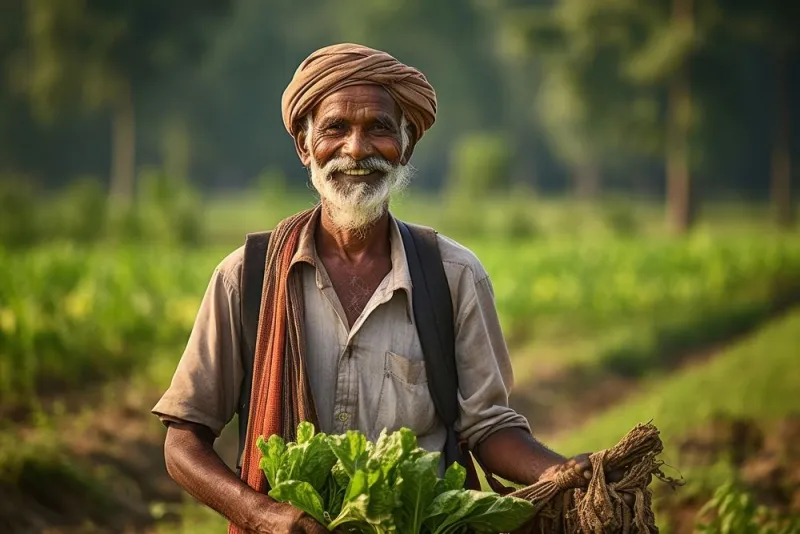
Photo: farmer writing winter market schedule in calendar at farm stand, via images.rawpixel.com
The week after Thanksgiving, it always happens. Somebody drives forty minutes to your stand because a photo caption from mid-October said you were open Saturdays, and the gate is chained. They don't blame the caption. They blame the farm.
Winter is where farm schedules get fuzzy — market dates shift, pickup windows move indoors, pre-order deadlines land on a Tuesday you forgot to post about. A pinned post can't keep up. A calendar can. And here's the part most farms miss: a calendar isn't just a nicer version of a post. It's the one piece of farm info a customer can save to their phone and have forever, without you lifting a finger again.
Why a saved calendar beats a pinned post
A post is a broadcast. It lives in a feed, gets buried by a cousin's vacation photos, and quietly goes stale. A calendar subscription is a commitment in the other direction — the customer does the work of remembering for you. Once they tap “subscribe,” your winter hours show up in the same place as their dentist appointment and their kid's basketball game.
That matters most for the customers you actually want: the ones who buy eggs every week, who pre-order a ham in December, who will sign up for a spring CSA if they haven't drifted away by March. A calendar keeps you in their line of sight during the months when you have the least to say.
It also kills a surprising amount of repetitive work. If your phone blows up every Saturday with “are you at the market today,” you don't have a communication problem, you have a findability problem. People are asking because they can't find the answer in three seconds.
Pick one calendar and make it the boss
Before you build anything, decide where the truth lives. Google Calendar is the easiest starting point for a US audience because it's free, it exports a subscribe link, and it syncs to iPhones and Androids without anyone downloading a farm app.
Set up a separate calendar — call it something like “Hilltop Farm — Winter Hours” — rather than mixing farm events into your personal one. Then in the calendar's settings, turn on public sharing and grab the iCal format link from the Integrate Calendar section. That link is what customers subscribe to, and it's the only thing you should ever have to hand out again.
Two housekeeping notes. First, set the time zone correctly (Eastern, Central, Mountain, Pacific — don't leave it on a default that's three hours off). Second, make sure any event with a real address has the address in the location field, so tapping it opens directions instead of a pin in the middle of a field that isn't yours.
Name events like a customer is reading them on a phone
“Saturday Market” tells a subscriber nothing. You're not writing for yourself; you're writing for a stranger squinting at a notification while buckling a toddler into a car seat.
A better pattern:
- FARM OPEN — Stand & Cooler, 9am–2pm
- Winter Market — Lebanon Square, 8am–12pm
- Pre-order closes — Holiday Hams, 6pm
- U-Pick closed this week (field rest)
That last one deserves a mention. Negative events are the most underused tool in farm scheduling. If you're closed, put it on the calendar. A customer who sees “closed this Saturday” before they leave the driveway is a customer who still trusts you in April.
Where the subscribe link needs to live
One link in one place is a dead end. The subscribe URL should show up in roughly the same places you'd put a phone number:
On the website. Add a short page — “Winter Hours & Pickup Dates” — with a plain sentence (“Tap to add our schedule to your phone”) and the subscribe link. Link that page from your homepage header, not buried in a menu.
In the Google Business Profile. Your profile hours are not the same thing as a calendar, so don't try to make one do the other's job. But you can point to the calendar in Google Posts — a simple weekly post that says “This week at the farm” with the subscribe link — and in any link field the profile gives you. Update the profile's special hours for holidays so search results don't contradict the calendar.
In your social bios. Instagram and Facebook both allow one link. If you're using a link-in-bio page, put the calendar at the top, above the recipe and the CSA signup.
Everywhere physical. A QR code on the stand's hours sign is the cheapest conversion you'll ever get. Same code on receipts, egg cartons, and the back of the pickup clipboard.
Embedding it on your own site
Google Calendar hands you an embed code that drops the schedule right into a page. It's plain, and plain is fine — a customer wants dates, not design. Put it above the fold on your hours page and set the default view to “Schedule” or “Agenda,” which reads better on a phone than a month grid full of empty squares.
If you'd rather not use Google's embed, a third-party “add to calendar” button works nearly as well and can look cleaner on a mobile site. The only rule: one calendar, one link, everywhere. Two competing feeds will confuse people and cost you the habit.
The Sunday ten-minute routine
Accuracy is the whole product. A calendar that's wrong twice is worse than no calendar, because you trained people to trust it and then let them down.
Block ten minutes every Sunday evening:
- Look at the next eight weeks and confirm each event is real.
- Add anything new — market dates, holiday hours, a January pickup.
- Kill or edit anything that changed. Edit the existing event; don't create a duplicate.
- Publish one short post or story pointing at the calendar.
- Scan for time zone or location errors on the events you touched.
Eight weeks is the sweet spot. It's far enough out that a CSA member can plan around a January pickup, and near enough that you're not inventing a July schedule in December.
Pre-order deadlines deserve their own events
A pickup window without a deadline is just a date. If someone has to order by Wednesday at 6pm to collect on Saturday, that deadline belongs on the calendar as its own all-day event with a reminder set. Subscribers will get nudged by their own phone, which is a much more reliable marketing channel than your feed.
What to check after two weeks
Look at the calendar's public views and your site analytics. If the subscribe link is getting clicks but the page views are flat, the link is probably buried or labeled confusingly. If nobody's clicking at all, it's not on the pages people actually visit.
Then watch your messages. If the “are you open?” texts taper off through December and January, the calendar is doing its job — and the customers who tapped it are still on your list when the first spring asparagus shows up.